
The error codes in this guide are based on Xiaomi's own support pages and user manuals. Where Xiaomi does not describe a code, we say that the information comes from repair-shop practice.
Xiaomi scooter error codes: what do they mean?
- 10 – the display and the controller have lost contact, usually because of a cable or moisture.
- 14 and 15 – the throttle or brake lever is not at rest when you switch on. Release both and restart.
- 18 – a fault in the motor, its Hall sensor or the motor cable.
- 21 – the battery and controller cannot communicate, often after an update or with a third-party battery.
- 28, 29 and 40 – a controller fault. Unless it is simply overheated, the controller needs replacing.
- 39 – the battery temperature sensor is faulty.
- 53–59, 61, 71 and 72 – battery warnings on the 6 series, for example for temperature and current while charging.
According to Xiaomi, the scooter should not be ridden with almost any of these codes. Restart first and troubleshoot if the code comes back.
Which Xiaomi model do you have?
The error codes are largely the same in every series, but some numbers have changed meaning and the newer models have more codes. So start by finding out which series you have.
| Series | Models | How the fault is shown | Xiaomi's own code list |
|---|---|---|---|
| Older (Mi Electric Scooter) | M365, M365 Pro, Essential, 1S, Pro 2, Mi Electric Scooter 3 | The M365 and Essential beep. Models with a digital display show the code and a flashing wrench. | Help pages for individual codes |
| 4 series | 4, 4 Lite, 4 Lite (2nd Gen), 4 Pro, 4 Pro (2nd Gen), 4 Pro Plus, 4 Ultra, 4 Go | Red wrench, code in the speed field and beeps | Only a few codes (14 and 40) |
| 5 series | 5, 5 Pro, 5 Max, 5 Plus | Red wrench, flashing code and beeps. Description in the app. | Full table for the 5 Plus |
| 6 series | 6 Lite, 6, 6 Pro, 6 Max, 6 Ultra | Red wrench, flashing code and beeps. Description in the app. | Full tables for the 6 Pro and 6 Max |
Where is the model name? The easiest way is to open Xiaomi Home – the model is shown on the scooter's card in the app. On the scooter there is a label with a QR code and model details. On the 5 series, the QR code is both next to the display and on the right side of the deck, and it is also printed on the back of the user manual. The model name is on the box and the receipt too. If the scooter has no digital display, only lights for the battery level, it is an older model such as the M365 – and it beeps the error code.
How to read the error code – display, beeps or app
Models with a digital display (M365 Pro, 1S, Pro 2, Mi 3 and the 4, 5 and 6 series): a flashing red wrench lights up and the error code appears where the speed is normally shown. At the same time the scooter beeps – on the 5, 5 Pro and 5 Max five times every three seconds. If the wrench is solid red, the scooter needs servicing.
The M365 and Essential have no digital display and beep instead. According to Xiaomi, each long beep is the tens and each short beep the units. One long and four short beeps therefore mean code 14.
In the Xiaomi Home app (called Mi Home outside Europe), the fault appears on the home screen when the scooter is connected. Tap it for an explanation that applies to your exact model. The 6 Ultra also shows a short fault description directly on its colour screen.
Is your Xiaomi scooter flashing red without a code? Then it is usually the temperature warning. According to Xiaomi, the 4 Pro and 4 Pro Plus, for example, should be ridden between −10 and 45 °C and charged between 0 and 40 °C. On the 1S and Mi 3, the thermometer lights up when the battery is 50 °C or hotter, and the 6 series shows temperature as separate codes. Leave the scooter indoors for a while and the icon goes out.
Xiaomi does not use E codes such as E1 or E2. If the display shows an E followed by a number, it probably comes from another brand or is an aftermarket display.
Xiaomi scooter error codes that apply to every series
These codes mean the same from the M365 to the 6 series. In the Source column, “Xiaomi” means the code is on Xiaomi's support pages or in a user manual, and “practice” means it only appears in repair-shop lists.
| Code | Meaning | What to do | Source |
|---|---|---|---|
| 10 | The display and controller have no contact. On the M365, all four battery lights may be lit at the same time. | Restart. Check the cable between the display and controller and look for moisture. | Xiaomi |
| 14 | The throttle is not at rest at start-up, is stuck or has a damaged sensor cable | Release the throttle and restart. Check that it does not stick and that the cable is connected. | Xiaomi (4–6), practice (older) |
| 15 | The brake lever is not at rest at start-up, or the brake sensor or its cable is faulty. On the 6 Max, the code refers to the left brake lever. | Release the brake and restart. Check the lever and the cable. | Xiaomi |
| 18 | A fault in the motor's Hall sensor or the motor cable. On the 6 Max, the code means the motor has locked. | Restart. Check the motor connector, especially after a tyre change. | Xiaomi |
| 21 | The battery and controller cannot communicate. On older models, speed is limited to 6 km/h. | Restart. Check the battery cable and use a battery of the same model as the original. | Xiaomi |
| 28–29 | Short circuit in the controller's MOS bridge (upper or lower) | The controller needs replacing. | Xiaomi |
| 35 | The serial number is missing or does not match, for example on a new display after a repair | The part must be paired with the scooter. Contact the workshop that replaced it. | Xiaomi (older, 6 Pro) |
| 39 | The battery temperature sensor (NTC) is faulty | The BMS or battery needs replacing. Do not open the battery yourself. | Xiaomi |
| 40 | The controller temperature sensor is faulty, or the controller has overheated | Stop and let the scooter cool down. If the fault remains, a new controller is needed. | Xiaomi (4–6), practice (older) |
Error codes for the Xiaomi 4, 5 and 6 series
These codes appear in Xiaomi's tables for the 5 Plus, 6 Pro and 6 Max. Xiaomi has not published a complete list for the 4 series, the 5, 5 Pro, 5 Max, 6 Lite, 6 or 6 Ultra. The codes Xiaomi has described for the 4 series (14 and 40) mean the same as here, so the table is a good starting point for those models too – but rely first and foremost on the description in Xiaomi Home.
| Code | Meaning | What to do | Source |
|---|---|---|---|
| 11 | The controller has cut out because of excessive current or overload | Restart and wait until the icon goes out. Look for moisture and damaged motor cables. | Xiaomi (5 Plus, 6 Pro, 6 Max) |
| 12 | A fault in the controller's current measurement | The controller needs replacing. | Xiaomi (5 Plus, 6 Pro, 6 Max) |
| 16 | A fault in the right brake lever cable | Check that the lever returns fully and that the cable is connected. | Xiaomi (6 Max) |
| 24 | Battery fault: overvoltage (5 Plus) or a battery fault where the scooter will soon switch off (6 Max) | Restart and plug the charger in again. An aged or third-party battery needs replacing. | Xiaomi (5 Plus, 6 Max) |
| 36 | The display and controller do not recognise each other after a replacement | The new part must be paired with the scooter. | Xiaomi (6 Pro) |
| 45 | The controller or motor has overheated | Stop, let the scooter cool down and restart once the icon has gone out. | Xiaomi (6 Max) |
| 53 | Imbalance between the battery cells | The battery needs replacing with one of the same model. | Xiaomi (6 Pro, 6 Max) |
| 54 | The battery is too hot to charge, so charging pauses | Let the battery cool down. Charging resumes below 40 °C. | Xiaomi (6 Pro, 6 Max) |
| 55 | The battery is too cold to charge | Bring the scooter indoors. Charging resumes above 8 °C. | Xiaomi (6 Max) |
| 56, 71 | The battery is too hot while riding (71: the scooter will soon switch off) | Ride on once the temperature is back to normal. | Xiaomi (6 Pro, 6 Max) |
| 57, 72 | The battery is too cold while riding (72: the scooter will soon switch off) | Ride on once the temperature is back to normal. | Xiaomi (6 Max) |
| 58 | Excessive current while charging | Unplug the charger. Check the charger and charging cable and try a compatible charger. | Xiaomi (6 Pro, 6 Max) |
| 59 | Excessive current drawn from the battery | Restart. If the fault remains, plug the charger in and unplug it again. | Xiaomi (6 Pro, 6 Max) |
| 61 | A fault in the battery's charge and discharge MOS circuit | The battery needs replacing with one of the same model. | Xiaomi (6 Pro, 6 Max) |
Xiaomi M365, Essential, 1S, Pro 2 and Mi 3 error codes
Xiaomi has its own help page for most of the codes below. Codes 11–13 and 24 only appear in repair-shop lists and are marked “practice”.
| Code | Meaning | What to do | Source |
|---|---|---|---|
| 11–13 | A fault in the motor phase current (phase A, B or C) | Look for moisture and damaged motor cables. If the fault remains, a new controller is often needed. | practice |
| 22 | The battery code is not recognised. Speed is limited to 6 km/h. | Usually a third-party battery or BMS. Switch to a battery of the same model. | Xiaomi |
| 23 | The battery still has its default serial number. Speed is limited to 6 km/h. | The battery must be paired with the scooter or replaced. | Xiaomi |
| 24 | The system voltage is outside the permitted range | Check the charger and battery. | practice |
| 26 | A controller fault, according to repair-shop lists when data is saved to memory | Update the firmware in Xiaomi Home. If the fault remains, a new controller is needed. | Xiaomi, practice (memory) |
| 27 | The controller code is wrong. Speed is limited to 6 km/h. | The controller must be paired with the scooter or replaced. | Xiaomi |
| 31 | A controller fault, the motor gives no power | Update the firmware in Xiaomi Home. If the fault remains, a new controller is needed. | Xiaomi |
If your code is not in the table, Xiaomi has not published what it means – check the description in the Xiaomi Home app or contact our customer service.
The most common error codes in detail
Error code 10 – the display loses contact
The cable runs through the handlebar stem and the folding mechanism, where it can wear, get pinched or let in water. If the code comes and goes when you fold the handlebar, it is the cable. If the connector is corroded, replace the cable. If the display's own circuit is faulty, you need a new display for your electric scooter.
Error code 14 on a Xiaomi – the throttle
Often the easiest code to fix. It is triggered when you hold the throttle while the scooter switches on, when the throttle has stuck or when the sensor cable is damaged. Release the throttle, restart and make sure there is a small gap between the grip and the throttle. If the scooter has fallen over, the throttle may be damaged. Then you need a new throttle for your electric scooter. The throttle does not respond until you have kicked off – to about 4 km/h on the 4 Pro and 3–5 km/h on the 5 and 6 series, depending on the model and the setting in the app. That is not a fault.
Error code 15 – the brake lever
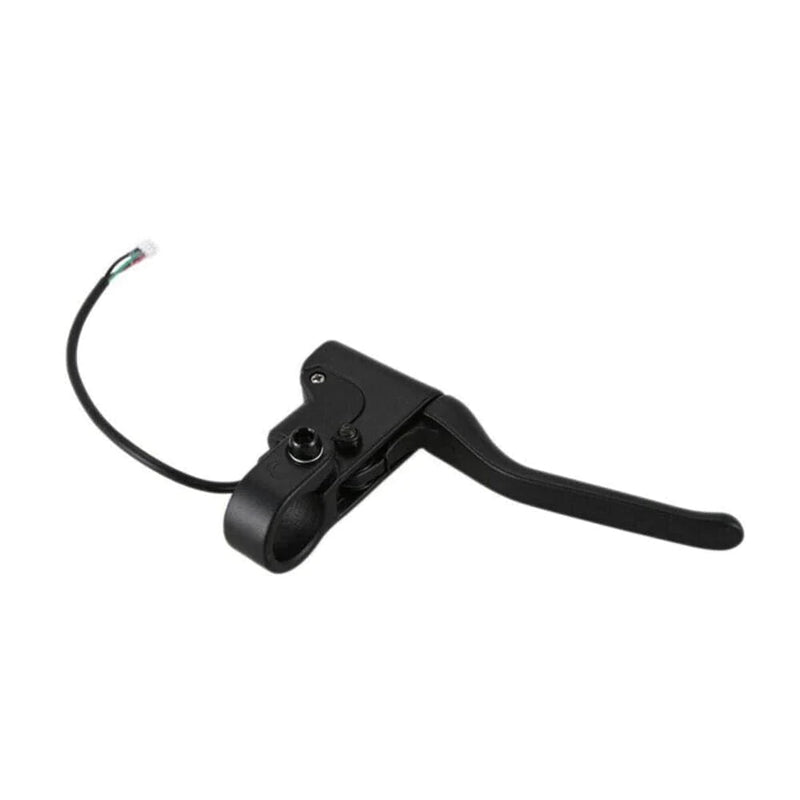
The same as 14, but for the brake: the sensor thinks you are braking and cuts the motor. Check that the lever returns fully and that the brake cable is not pulling on it. On the 6 Max, 15 refers to the left lever and 16 to the right. If the sensor or lever is faulty, you will find parts among our electric scooter brakes.
Error code 18 – the motor's Hall sensor
The Hall sensors tell the controller the position of the motor. If you have just changed the tyre on the front wheel, where the motor sits on the M365, 1S, Pro 2 and Mi 3, first check that the motor connector is firmly plugged in.
Error code 21 – the battery has no contact
Xiaomi names three causes: a damaged communication cable, an update of the battery firmware, and third-party batteries or battery firmware. On older models, speed is limited when the code is shown. A new battery for your electric scooter should always be the same model as the original.
Error codes 39 and 40 – temperature sensors
39 means the battery temperature sensor is faulty. 40 concerns the controller's sensor or an overheated controller – after a long climb on a hot day, letting the scooter cool down may be enough. If the code comes back at normal temperature, the component is faulty.
What can you fix yourself – and when do you need a spare part?
Yourself: restart, release the throttle and brake at start-up, charge fully, update the firmware in Xiaomi Home, dry out moisture, reconnect plugs and replace the throttle, brake lever or display cable.
Spare part or help: recurring 11, 12, 28, 29 and 40 often mean a new controller, and 22–24, 39, 53 and 61 point to the battery. Never open the battery yourself – a damaged lithium-ion cell can catch fire. Go to a bike or e-vehicle repair shop, or contact our customer service with the error code and the model.
Avoid third-party firmware and flashing tools. Xiaomi itself lists third-party firmware and batteries as a cause of code 21. Modified software can also remove the speed limiter, and then the scooter may no longer meet the rules for riding on roads and cycle paths.
Find the right spare part for your Xiaomi
The easiest way is through our spare parts portal. Choose the brand and model, and only parts that fit are shown. Everything is also collected among our Xiaomi spare parts. Depending on the error code, you usually need:
- 10: cables or a display
- 14: a throttle
- 15 and 16: a brake lever
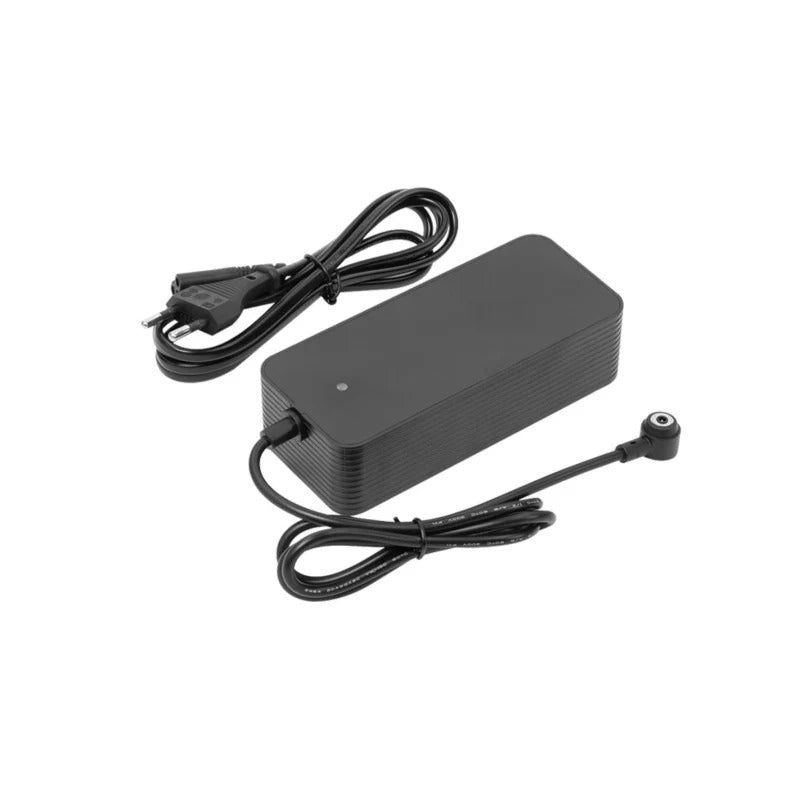
- 21–24, 39, 53–59 and 61: a battery and sometimes a new charger
Parts for the M365 often fit the 1S, Essential and Pro 2 as well, but between the newer series the parts differ more. Always check which models are listed on the product page.
How to prevent error codes
- Keep your hands off the throttle and brake while the scooter switches on. That avoids most false 14 and 15 codes.
- Avoid puddles and hosing down. Moisture is behind many faults, even on models with a high IP rating. Read more in our guide to riding an electric scooter in the rain.
- Charge with the original charger and do not leave the battery flat. What a charge costs is explained in our guide to the cost of charging an electric scooter.
- Do not charge in the cold or heat. Bring the scooter indoors and let it reach room temperature before you plug in the charger.
- Only update through Xiaomi Home. Third-party firmware and batteries are common causes of codes 21–24.
- Check the tyre pressure regularly. More tips on the battery and riding style are in our guide on how to increase your e-scooter's range.
Frequently asked questions about Xiaomi scooter error codes
What does error code 14 mean on a Xiaomi scooter?
The throttle was not at rest at start-up, is stuck or has a damaged sensor cable. Release the throttle and restart. If the code comes back, check the cable and replace the throttle.
Why is my Xiaomi scooter flashing red?
A flashing red wrench means the scooter has detected a fault, and the code appears in the speed field. If the thermometer icon is flashing, it is too cold or too hot to ride or charge. On the 6 series, temperature is shown as a code between 54 and 57 or 71 and 72 instead.
What does E1 mean on a Xiaomi M365?
Xiaomi does not use E codes. The M365 beeps the error code instead: long beeps for the tens and short beeps for the units. An E on the display points to another brand or an aftermarket display.
Do the Xiaomi 5 and 6 series have the same error codes as the M365?
Partly. 10, 14, 15, 18, 21, 28–29, 39 and 40 mean the same in every series. The 6 series has its own battery codes (53–59, 61, 71 and 72). The Xiaomi Home app always shows the description for your exact model.
How do I reset the error code on my Xiaomi?
Switch off, wait a few seconds and switch on without touching the throttle or brake. Then update the firmware in Xiaomi Home. If the code comes back, the fault is still there and you should not ride on. A factory reset only erases the settings – it does not fix the fault.